 Redact It™
Redact It™
Redact It™
Redact sensitive information from PDFs and images directly inside your browser. Use the free version right away, or upgrade to Redact It Pro for multi-page workflow tools, exact-match redaction, extra color options, and cleaner exports.
Professional-grade redaction that works entirely on your device. Use the free core tools today, then unlock Pro when you need a faster and more advanced workflow.
All redaction happens directly in your browser. Your files never leave your device — no cloud uploads, no external servers, no third-party access.
Load any local PDF or image file directly. Works on financial statements, ID documents, screenshots, contracts, and more.
Use a freehand brush for precise coverage or drag a rectangle to block entire fields. Choose your redaction style based on the document.
Control the width and height of your redaction boxes to fit exactly over the information you need to hide — no guessing.
Pro adds multi-page handling, exact-match typed redaction, extra redaction color choices, and a cleaner professional workflow for repeat use.
We collect absolutely no personal data, browsing history, analytics, or telemetry. What you redact stays between you and your screen.
No account. No setup. No learning curve. Open the extension and you're ready.
Click Browse and select any image or PDF from your device. It opens right in the extension — nothing is sent anywhere.
Use Brush or Rectangle in the free version, or unlock Pro for faster document handling with exact-match and multi-page workflow tools.
Save the redacted result back to your device. Share, upload, or print with more confidence and less manual cleanup.
Share bank statements and financial forms without exposing account numbers or personal data.
Redact names, SSNs, and addresses from contracts and HR documents before distribution.
Remove patient identifiers from records when sharing for review or administrative purposes.
Prepare invoices, tax docs, and agreements for third parties without revealing confidential data.
Submit rental or mortgage applications and hide details you don't want shared beyond the recipient.
Skip the printer and white-out. Redact your own documents in seconds — fast, private, and now upgradeable if you need more.
A quick preview of the Redact It Pro purchase flow and the extension workspace..
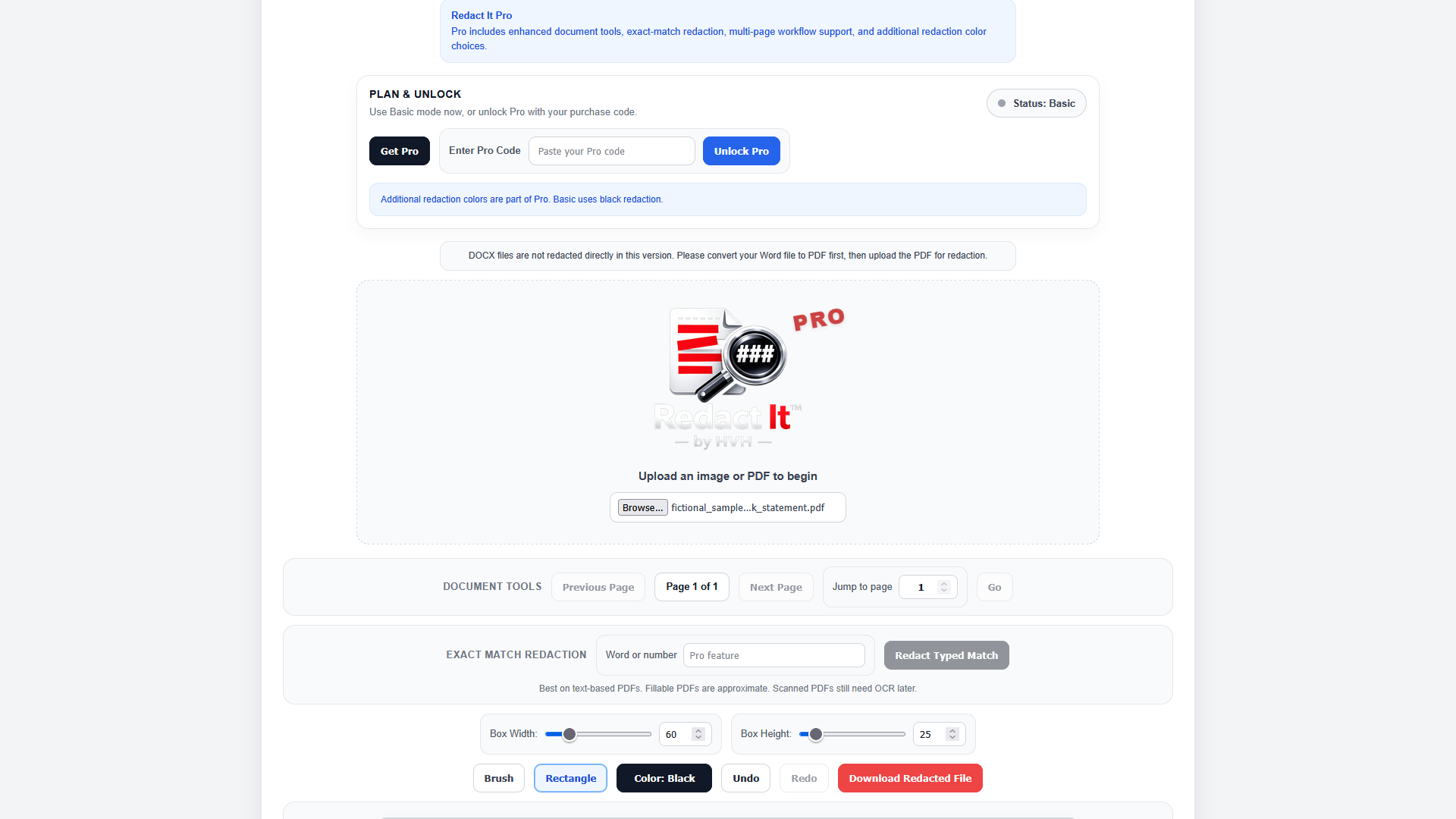
A quick look at the Redact It Pro purchase flow and feature layout.
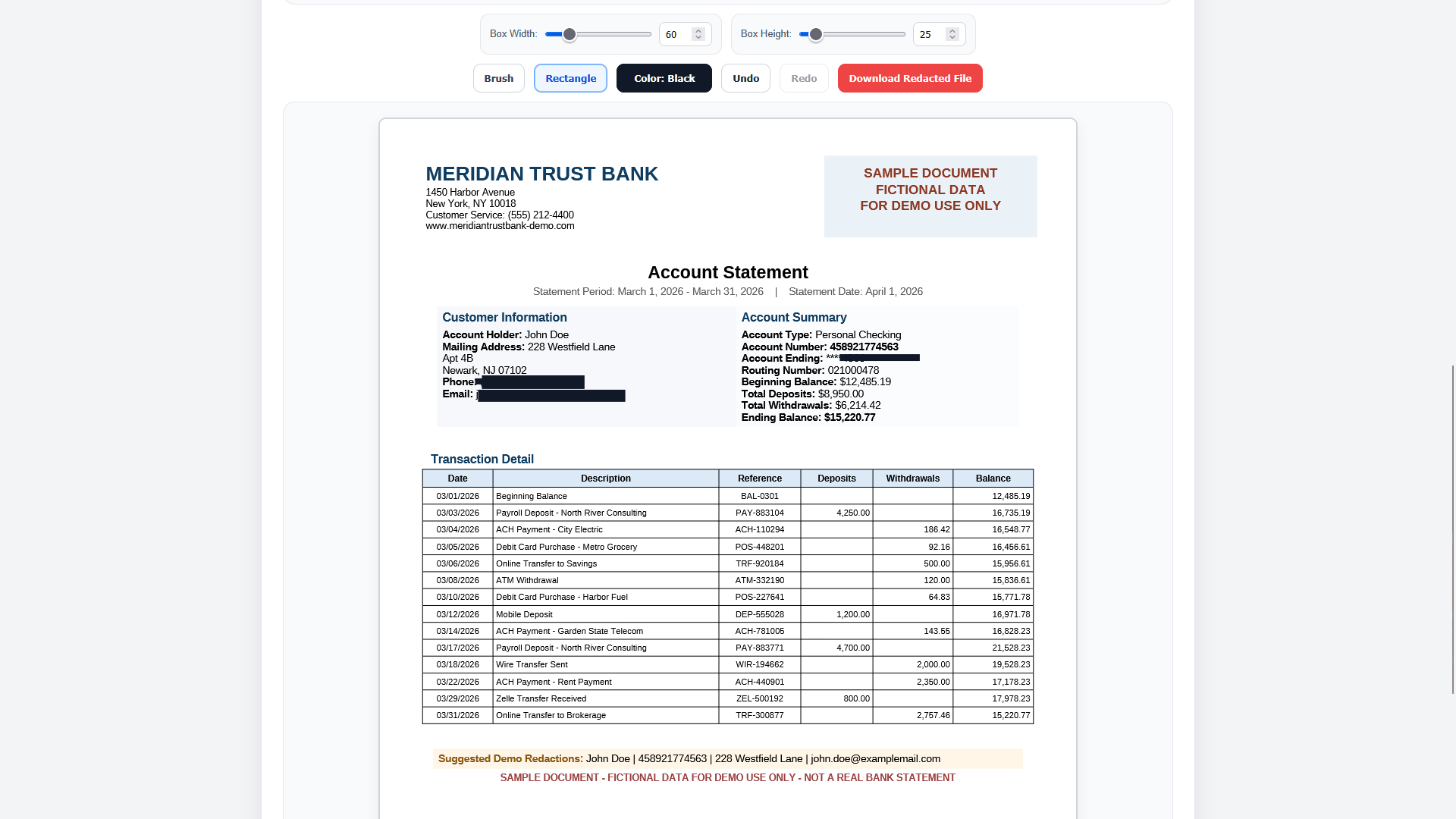
A preview of the extension workspace and sample redaction view.
We’re currently inviting professionals to use Redact It Pro in real workflows so this section can be updated with verified feedback.
“We’re currently working with finance, legal, and document-heavy professionals who are testing Redact It Pro in real workflows. Verified testimonials from real users will appear here soon.”
Most online redaction tools require you to upload your file to a server. That means your documents — with all their sensitive data — leave your device before they're protected.
Redact It works differently. Everything happens inside your browser, on your machine. Your file never touches a server. Pro adds workflow convenience, but the privacy foundation stays the same.
Use Redact It today at no cost, or unlock Redact It Pro for a more advanced document workflow.
After payment, your Pro code is sent by email. That code is intended for one device/browser activation. If you change machines later, contact support@hvhllc.com for help.
Complete your purchase below. After payment, your Redact It Pro license code will be delivered by email and used to unlock Pro inside the extension.
Complete your Redact It Pro purchase securely through PayPal.
Your Pro license code is sent automatically to the email used during payment.
Paste the code into the Redact It extension. Once activated, Pro becomes available on that device/browser setup.